
 REALMSOUND
Pick a place, press play, and it comes alive. A dungeon that drips and groans, a tavern full of voices, a battlefield beyond the hills. RealmSound plays it for as long as you need, and it never loops in an obvious way.
Try everything free for 7 days. VST3 plugin + standalone app for Windows 10/11 x64. One-time purchase, no subscription.
Scene, play, done
The background sound for a whole session in under a minute. Change as much or as little as you like.
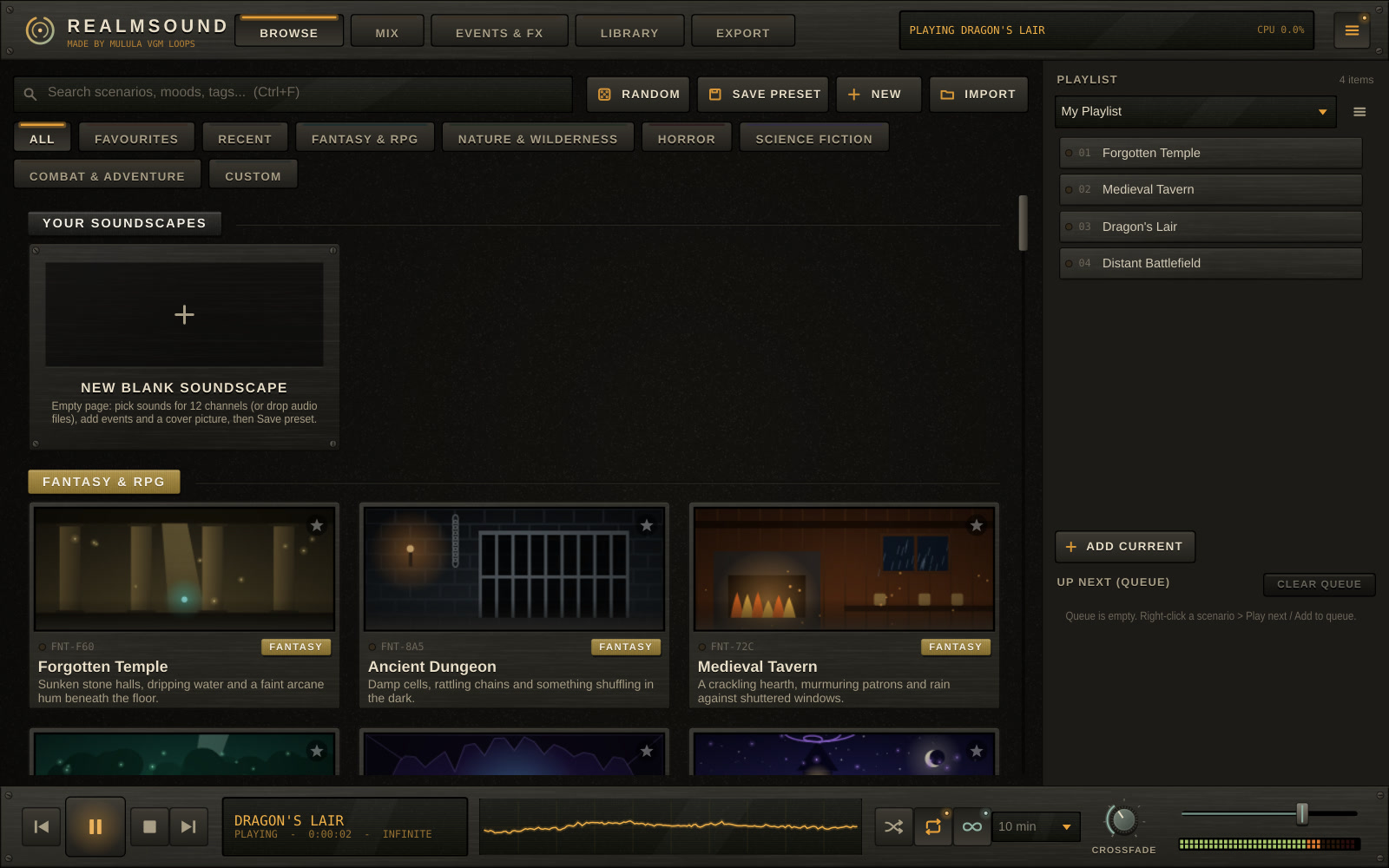
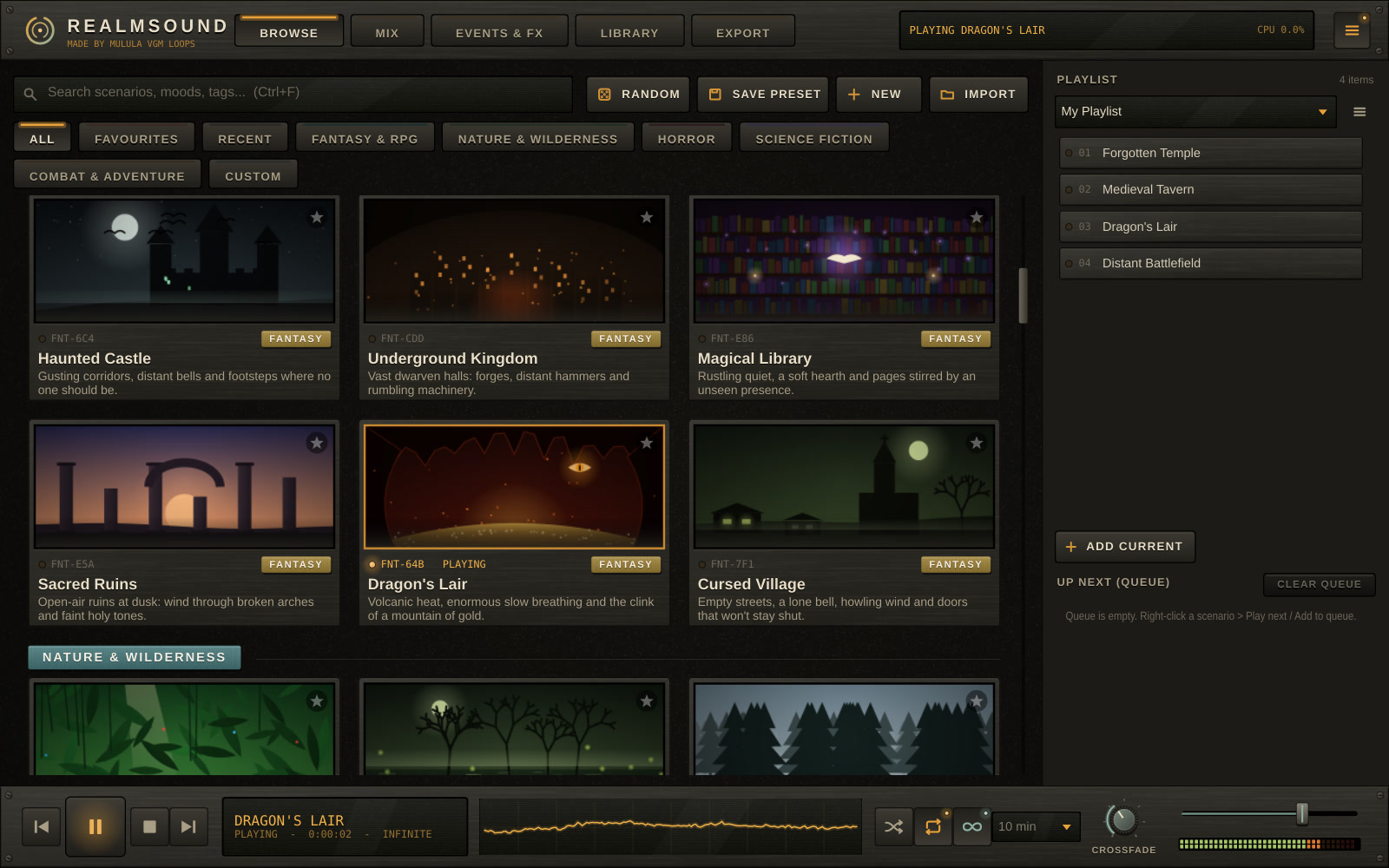
61 places in 5 categories: Fantasy & RPG, Nature, Horror, Sci-fi and Combat & Adventure.
Wind, rain, fire, crowds and machinery play together and slowly change, so it never sounds like a loop.
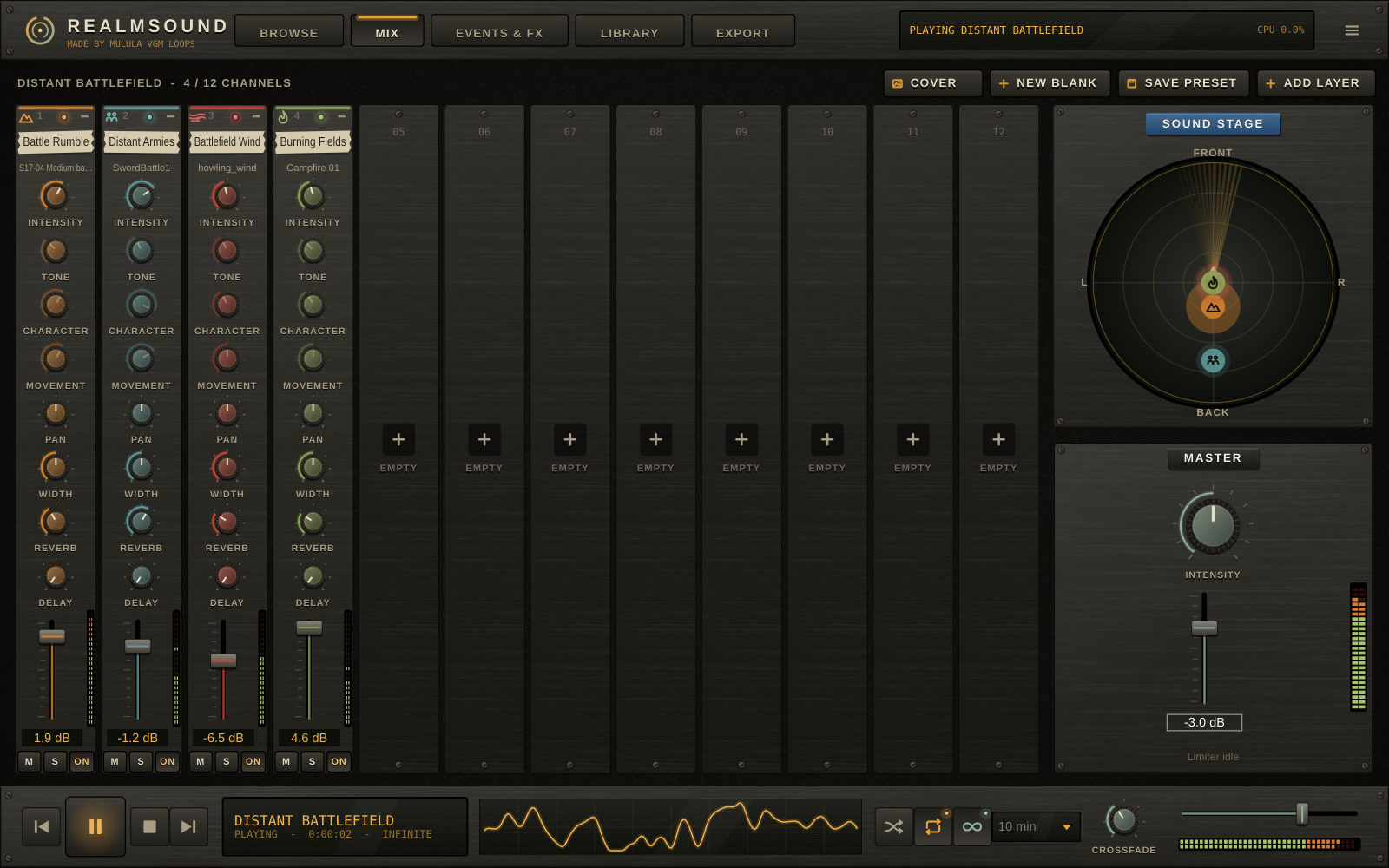
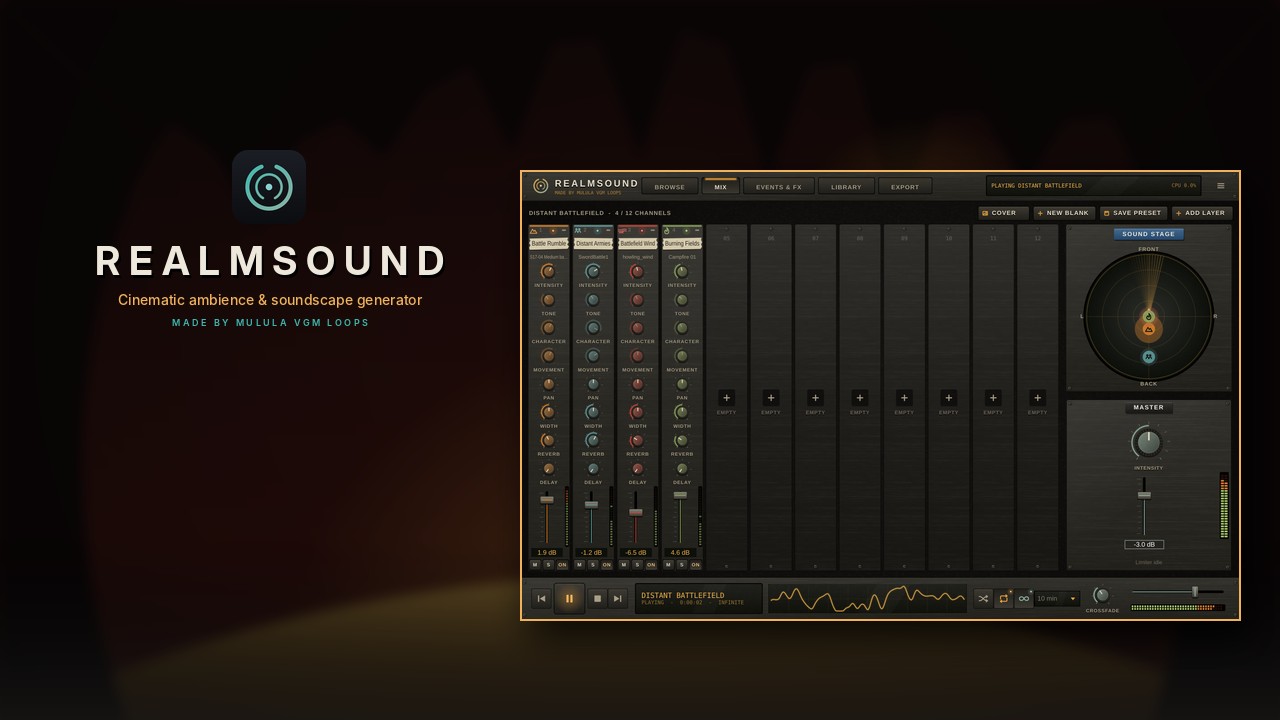
12 channels with intensity, tone, character, movement, pan, width, reverb and delay.
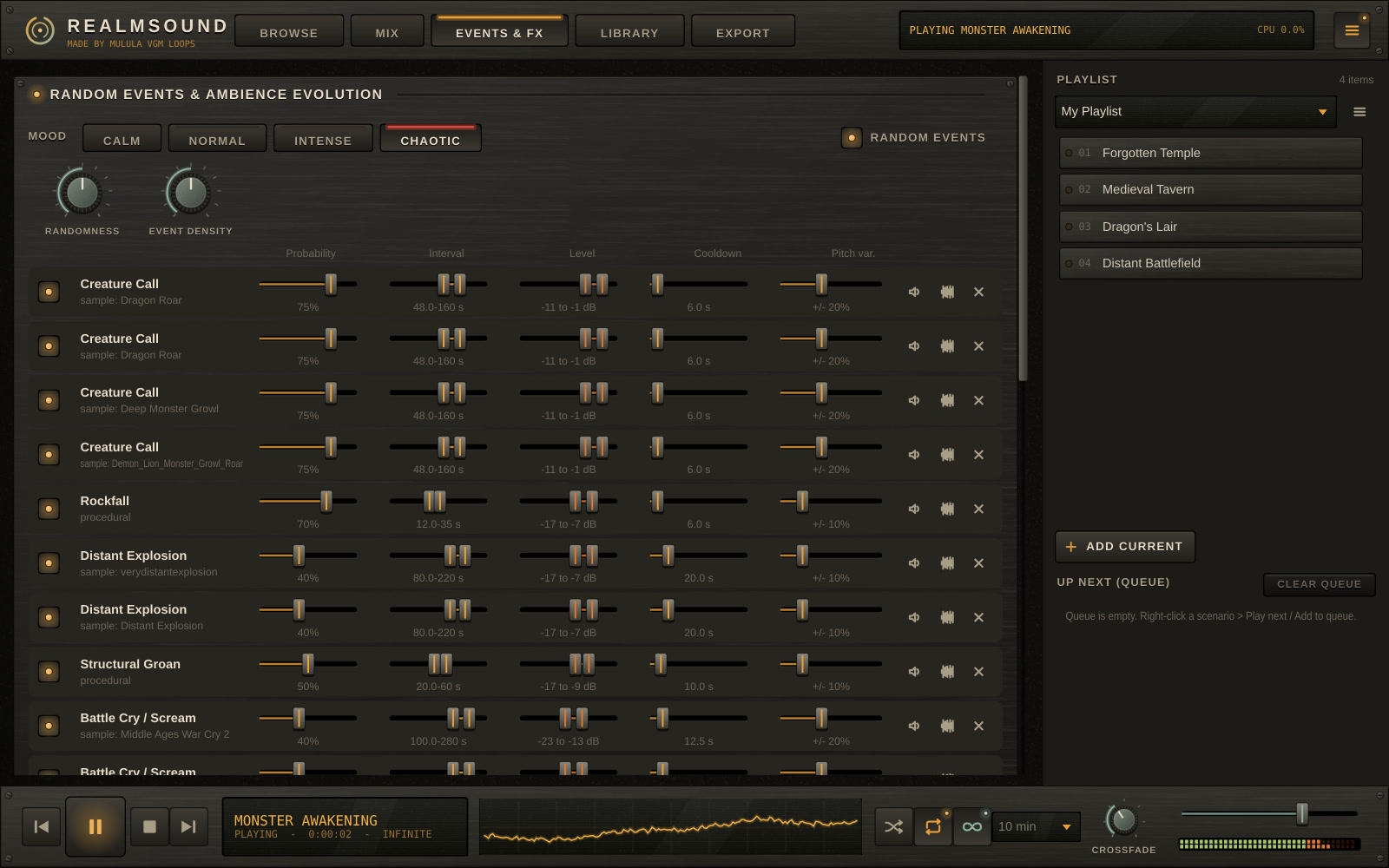
Calm, Normal, Intense or Chaotic. Random events add roars, thunder, footsteps and swords.
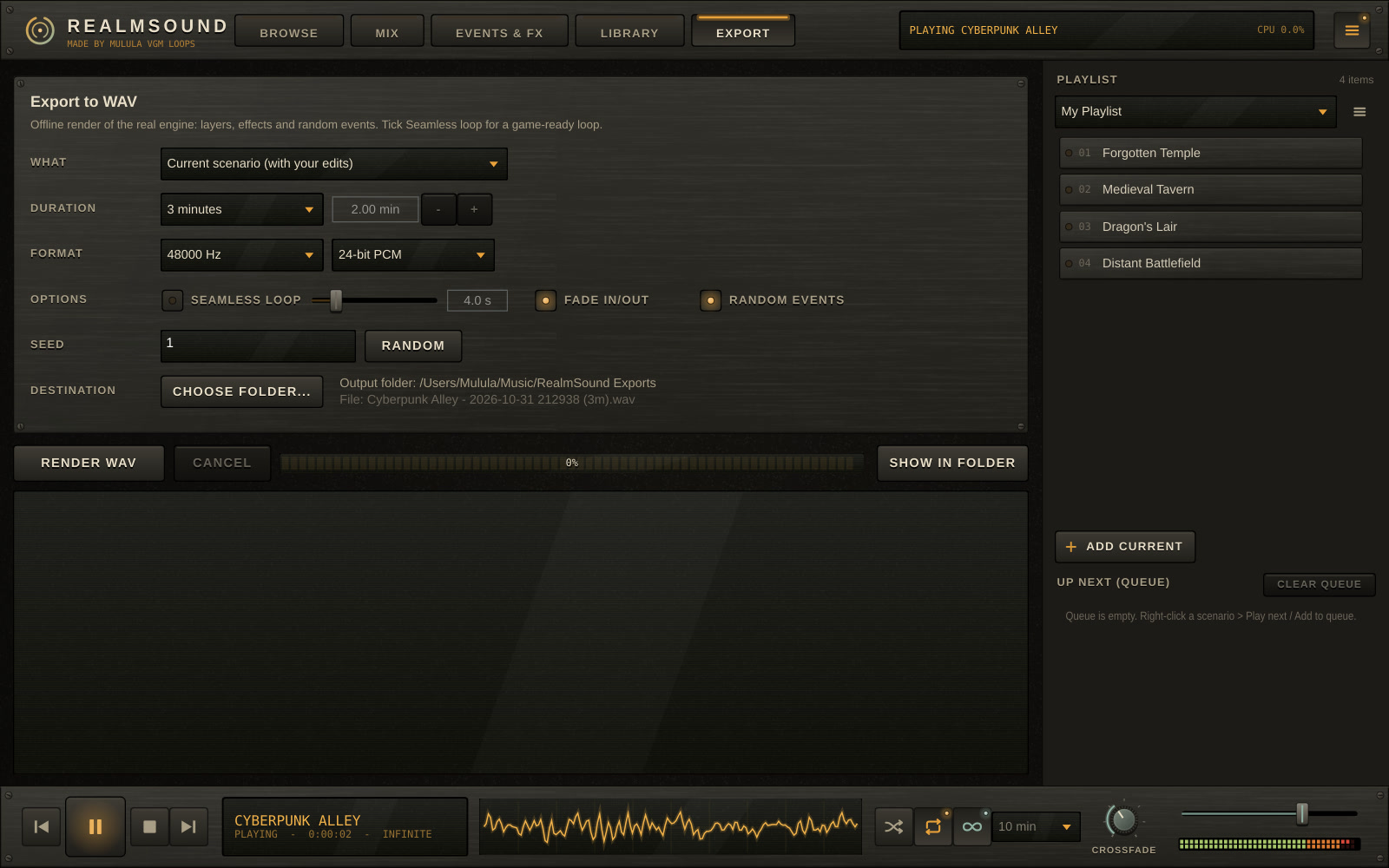
Render a WAV of any length, or a seamless loop for your game.
What's inside
Everything you need to fill a scene with sound, with no audio editing.
61 living scenes
Forgotten Temple, Medieval Tavern, Dragon's Lair, Haunted House, Coastal Storm, Distant Battlefield, Cyberpunk Alley, Goblin Warren, Pirate Ship, Deep Space and 51 more. Each one has its own artwork.
12-channel mixer
Every sound in a scene has its own channel. Place each one on the sound stage: left or right, closer or further away.
Random events
43 event types, from owls, wolves and dragon roars to war cries, sword clashes, explosions, ghosts, sonar and goblins. Set how often and how loud each one plays, or use any sound from your library as an event.
Real recordings
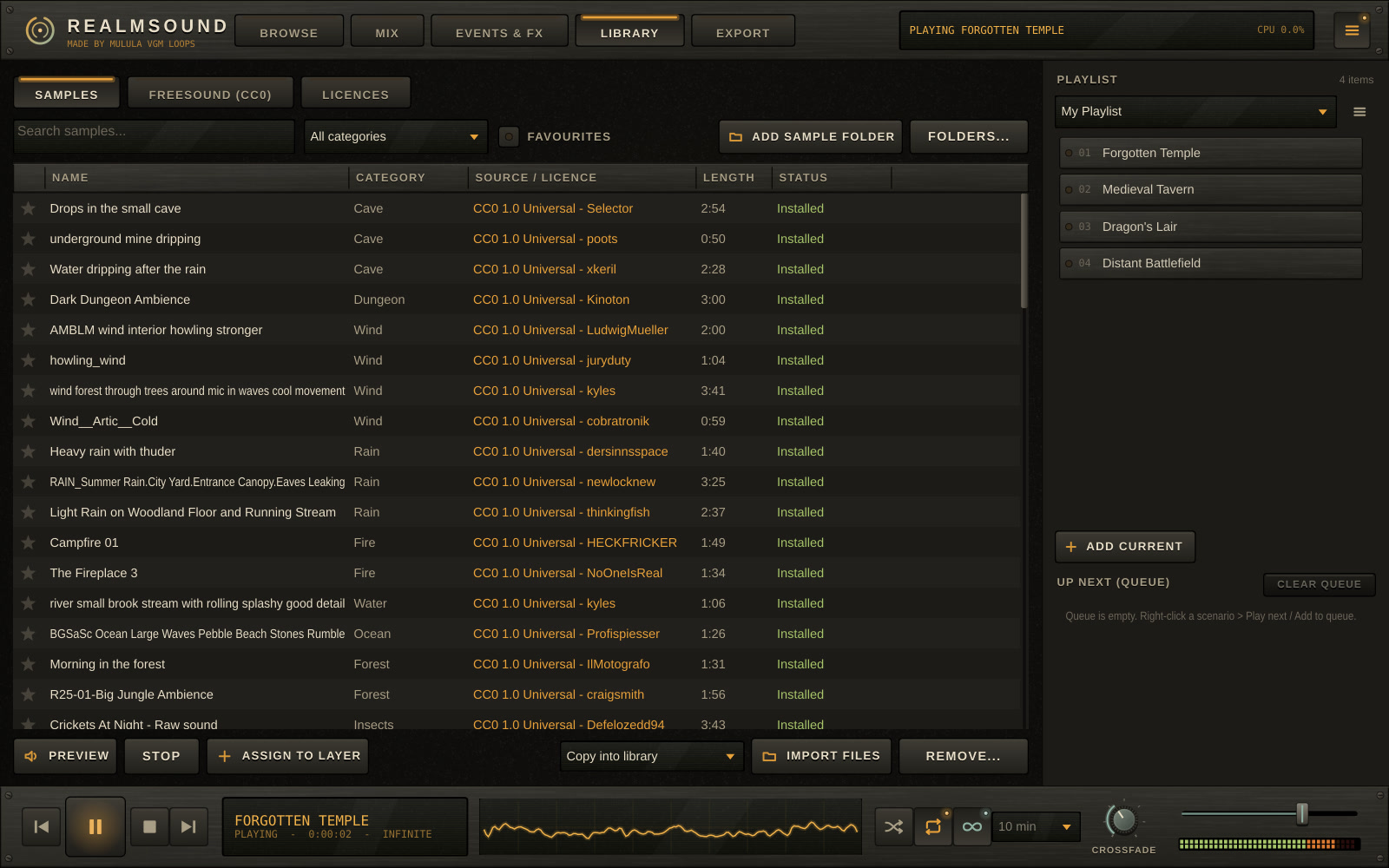
With a free Freesound account, one click downloads 82 hand-picked CC0 (public domain) field recordings that make the scenes even more real. Every sound also has a synthesized version, so RealmSound works without them.
Playlists & crossfades
Line up scenes for a whole session. RealmSound crossfades from one to the next, with shuffle, repeat, a queue and a timer per scene.
Game-ready export
WAV at 44.1 to 96 kHz, 16 or 24-bit, up to 4 hours. Seamless loops with embedded loop points and a click-free seam check. Same seed, same audio.
Your own soundscapes
Start from a blank page, drop in your own audio files, add events and a cover picture, and save it as a preset.
Plugin or app
Use it as a VST3 in Reaper, FL Studio, Ableton Live, Cubase or Studio One, or open the standalone app. Drag the window bigger or smaller: the whole interface scales.
Listen
45 seconds from 10 scenes, rendered by RealmSound with the starter pack installed. Nothing was edited afterwards.
- 01 Forgotten Temple Fantasy & RPG 0:45
- 02 Medieval Tavern Fantasy & RPG 0:45
- 03 Enchanted Forest Fantasy & RPG 0:45
- 04 Goblin Warren Fantasy & RPG 0:45
- 05 Dragon's Lair Fantasy & RPG 0:45
- 06 Coastal Storm Nature 0:45
- 07 Haunted House Horror 0:45
- 08 Distant Battlefield Combat 0:45
- 09 Pirate Ship Adventure 0:45
- 10 Cyberpunk Alley Sci-fi 0:45
See and hear it
Real RealmSound footage: everything you see is the app and everything you hear is its own sound.
Feature tour (1:29)
Made for
- Game developers: ambience loops for levels, menus, caves and towns, exported as seamless WAV files
- Tabletop game masters: a playlist for the whole session, with a crossfade every time the party moves on
- Streamers and video creators: background sound for hours, with random events that keep it alive
- Composers and sound designers: a VST3 that follows your DAW's transport, with automatable controls
- Writers and readers: put yourself in the scene while you work
Screenshots
Free trial and licence
- 7-day free trial with every feature. No account, no card.
- After the trial, playback still works, but export and saving presets are locked and each session stops after 15 minutes.
- $49.90 once on Gumroad. Paste the licence key from your receipt and RealmSound unlocks for good.
- One key works on up to 5 of your computers. Activation needs the internet once, then it runs offline.
- Free updates for version 1.
Requirements
- Windows 10 or 11, x64
- A VST3 host (Reaper, FL Studio, Ableton Live, Cubase, Studio One, Bitwig...) or the standalone app
- One installer for both: the VST3 goes to Common Files\VST3
- About 100 MB, plus about 670 MB if you download the optional starter pack
- Internet only for activating the licence and for Freesound downloads
Guides
- Quick start guide (PDF, 7 pages): from installing to your first export, with every step to connect Freesound (CC0)
- User manual (PDF): every tab, every control, Freesound setup and troubleshooting
REALMSOUND
Endless cinematic ambience for your worlds. Try it free for 7 days.